
Edit beside the preview
Move clips, overlays and captions while the complete composited project remains visible.
Combine videos, images, music and voice-over on multiple tracks. Trim and split clips, add captions, overlays, transitions and effects, preview the whole project, and export a separate file without uploading the source media.
The workspace keeps the preview, editing controls, time range and export action in one view. This is the actual VLC.ONL interface with a sample local project loaded.
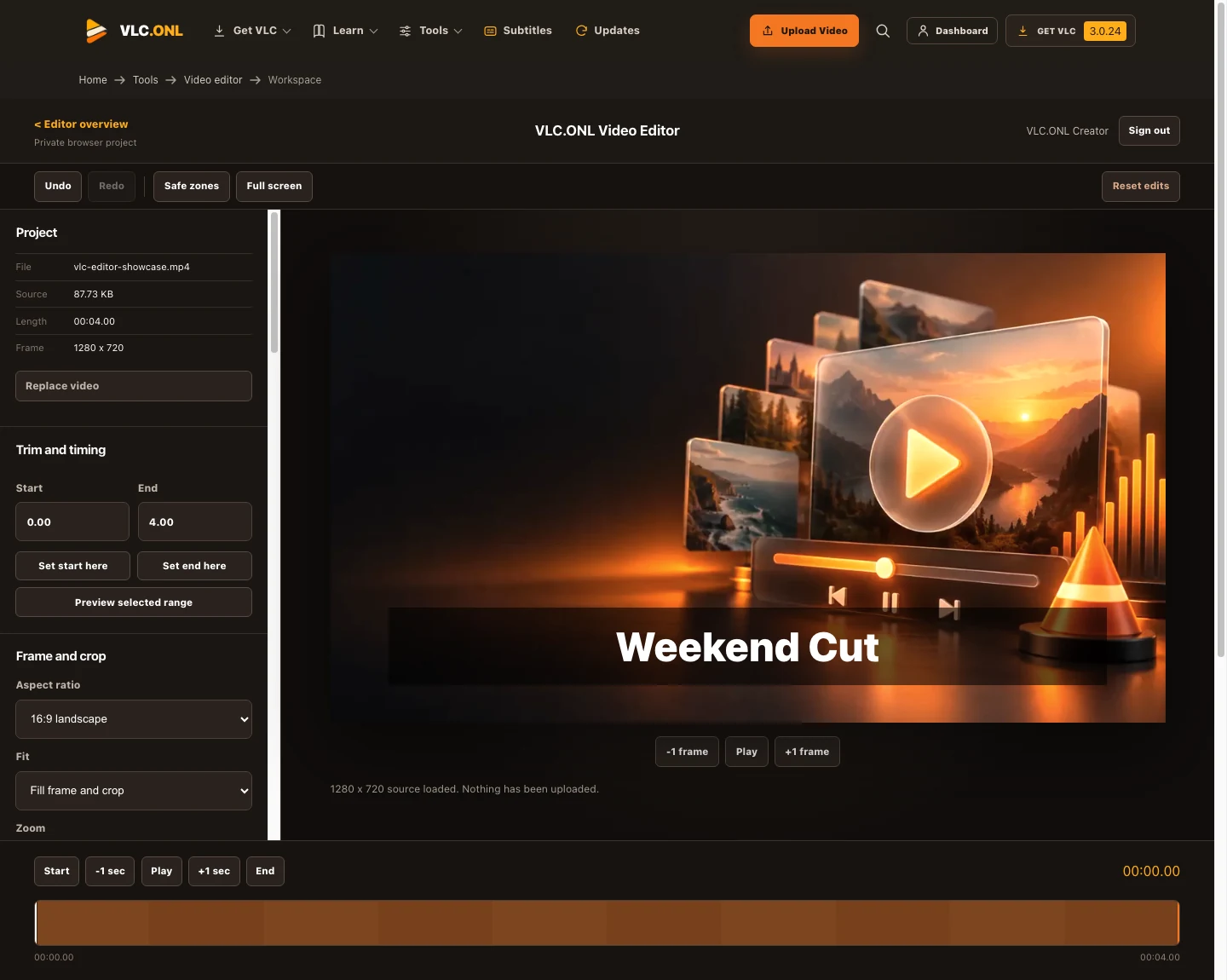
Move clips, overlays and captions while the complete composited project remains visible.
Arrange several video and audio layers, split clips and control each track independently.
The originals stay untouched while the browser renders a new MP4 or WebM file.

The playhead controls the full preview while every video, audio and overlay clip keeps its own timing.
This VLC.ONL adaptation brings the VIDEOBB-COM editing workflow into a private browser project: multiple video and audio tracks, draggable clips, timed overlays, captions, voice-over, effects, project history and a full composited export. Source files stay on this device.
Import multiple videos, images and audio files, add tracks, then drag clips into the required order and timing.
Trim, split, duplicate, freeze or reverse clips. Choose landscape, vertical, square, portrait, classic or cinema framing.
Create picture-in-picture, titles, captions, stickers, shapes and timed image layers with editable position, scale and opacity.
Apply filters, masks, transitions and adjustment layers. Mix source audio, music, sound effects and recorded voice-over with fades.
The editor autosaves the full local project and its media when browser quota permits. Manual drafts add named points to the revision history.
Scrub the composited timeline, undo or restore changes, then render every visible and audible track into a downloadable file.
Use the editor when you need a new output file. Use VLC when you only need to change playback, inspect a stream, test subtitles, or diagnose a file.
| Task | Best starting point | Why |
|---|---|---|
| Trim and export | Browser editor | Creates a separate edited file |
| Rotate while watching | VLC video effects | Changes playback without rewriting the source |
| Check codec support | Formats and codecs guide | Separates the container from its streams |
| Extract audio | VLC conversion guide | Uses a deliberate output profile and destination |
Google sign-in is the only account method. VLC.ONL receives the verified Google identity needed for the session, but the editor keeps the project and any retained source file in this browser's private site storage on the current device. No password or video file is submitted to VLC.ONL by this editor.
Need a different result? Use the browser video converter to change formats, upload and share the finished video, search the VLC subtitle directory for a separate text track, or return to all free video tools.